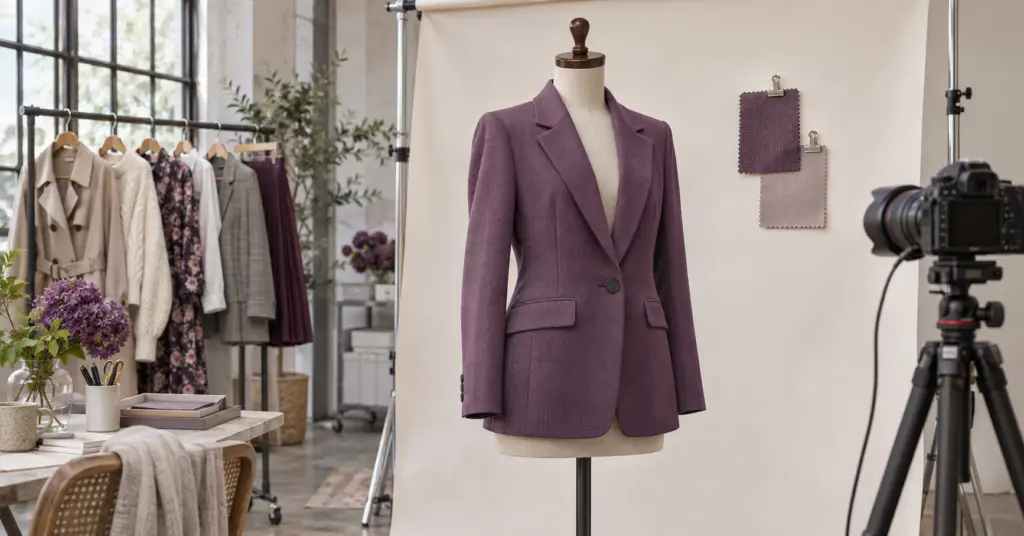
Liv Data® built a secure AI platform that connects PLM, ERP, Shopify and product images, then turns them into retailer-ready product content. The project was delivered in phases over 6–8 weeks, followed by 2–4 weeks of post-launch support.
- 12 retailers served from one platform.
- About 10 team members shifted from building retailer files by hand to reviewing and approving them.
- 6–8 weeks of phased delivery, followed by post-launch support.
- 100% human approval before export.
At a glance
| Client | A multi-brand fashion group selling wholesale to department stores, marketplaces and off-price retailers, and direct to consumers online |
|---|---|
| Challenge | Every retailer needs product data and copy in its own format. The work was manual, repeated for each retailer, and spread across several systems. |
| Solution | An AI-powered platform that pulls product data from the client's systems, checks it, writes retailer-specific copy, and fills each retailer's template |
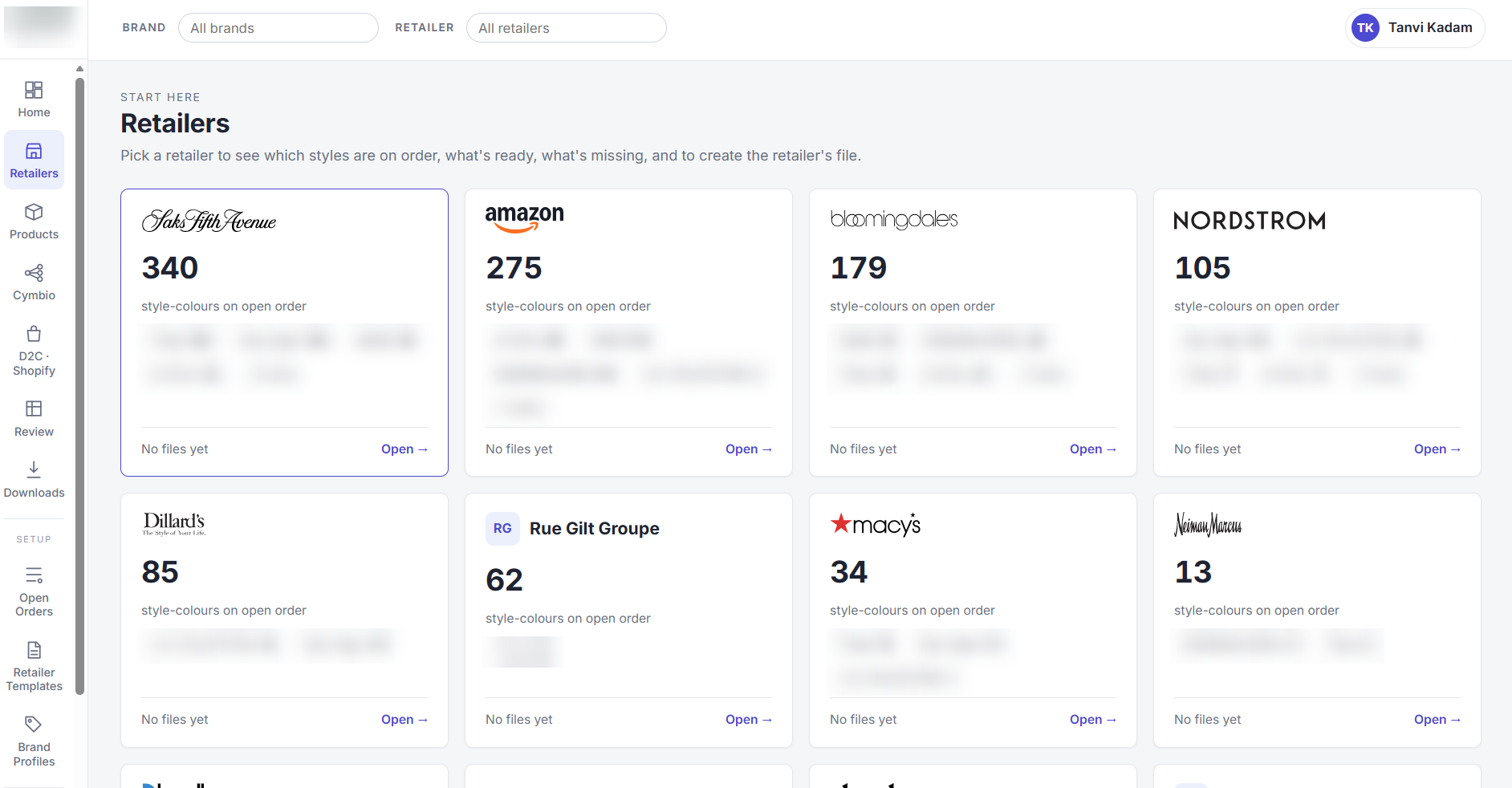
| Retailers | Saks Fifth Avenue, Bloomingdale's, Nordstrom, Neiman Marcus, Bergdorf Goodman, Macy's, Dillard's, Belk, Amazon, Shopbop, Rue Gilt Groupe and Cult Mia |
| Connected systems | WFX PLM, ERP data via the Power BI semantic model, Shopify, image storage (OneDrive, SharePoint, Dropbox) |
| AI model | Claude by Anthropic |
| Hosting | The client's own Microsoft Azure environment, with Microsoft sign-in |
The challenge of preparing one product for a dozen formats
In wholesale fashion, a style isn't finished when it's designed. It's finished when every retailer accepts its listing. Each retailer asks for different columns, different copy rules, different measurements and different image standards.
Before the platform, a team of about 10 people across sales, merchandising and e-commerce produced retail copy by hand, season after season, brand by brand and retailer by retailer:
- Looking up data in several places: fabric and fiber in the PLM, orders in the ERP, measurements in spreadsheets, photos across shared drives.
- Re-typing the same facts into each retailer's spreadsheet, one season and one brand at a time.
- Writing copy from scratch for every retailer's voice, length and banned words.
- Finding errors late, when a retailer rejected a listing for missing fiber content or a wrong field.
- No single view of which styles were ready for which retailer.
Before and after
| Task | Before | With the platform |
|---|---|---|
| Gather product data | Search the PLM, ERP exports and spreadsheets | Pulled automatically from connected systems |
| Know what to prepare | Check open orders by hand | Open orders by retailer, read from the ERP data |
| Find missing data | Found by the retailer, after submission | Flagged up front, with the team that owns each fix |
| Write copy | Written by hand for each retailer | Drafted by AI to each retailer's rules, then reviewed |
| Fill retailer files | Copy and paste into each template | Generated in the retailer's own template |
| Handle a product change | Redo the affected files | Regenerate the same day |
What the platform does
The platform gives the team one place to see every brand, retailer and style, and to move from raw product data to an approved retailer file.
| Capability | What it does |
|---|---|
| One product record | Brings each style's details together from the PLM, ERP data and Shopify |
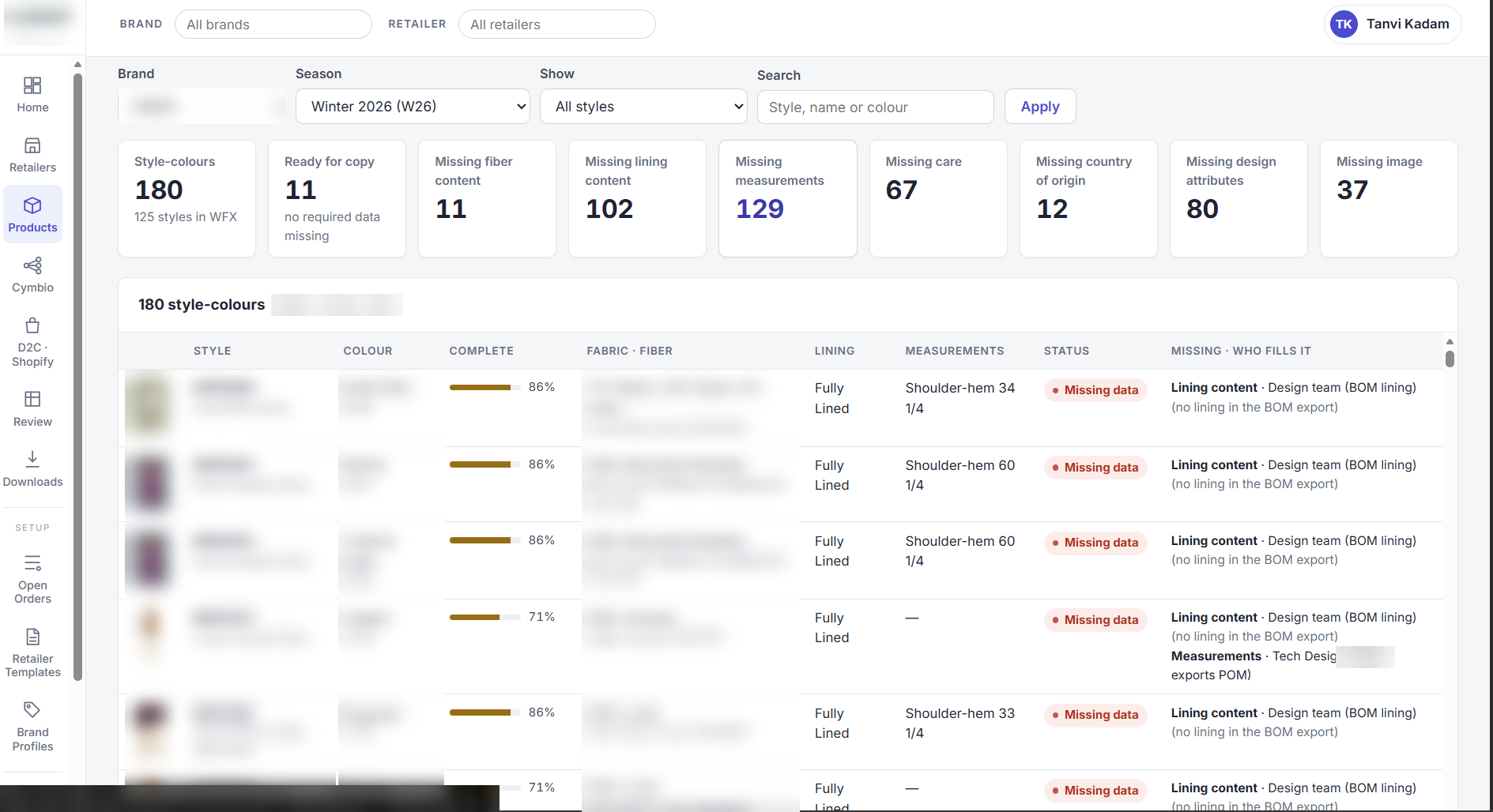
| Readiness check | Shows what is missing for each style and retailer, and which team owns the fix |
| AI copy | Writes titles, descriptions and bullets in each retailer's format and rules |
| Image library | Indexes every product photo and links it to the right style and colour |
| Review and approval | Editors review in batches by brand; an approver signs off before anything is exported |
| Retailer files | Fills each retailer's own template, leaving protected sections untouched |
| Channel feeds | Prepares Shopify import files with photos, sizes and barcodes |
How it works
- Connect: the platform reads styles, fabrics and BOM data from WFX, open orders from the ERP data, live products from Shopify, and photos from image storage.
- Check: every style is checked against each retailer's rules. Gaps are listed with the team that owns them.
- Create: Claude drafts the copy from the product facts only, following each retailer's rules and the brand's voice.
- Review: the team edits and approves in the app. Nothing leaves without a person's sign-off.
- Deliver: the platform fills each retailer's file, ready to submit. When a product changes, files are rebuilt the same day.
Connectors we built
The platform reads data where it already lives. Nobody re-keys it.
| System | What the platform reads | How |
|---|---|---|
| WFX PLM | Styles, colours, fabric, fiber, lining (bill of materials), design attributes | WFX API, synced on demand |
| ERP (via Power BI) | Open orders by retailer, style, colour and ship month | Power BI semantic model, read-only, so no direct ERP integration was needed |
| ERP exports | UPC listing and measurement exports | Secure upload in the app |
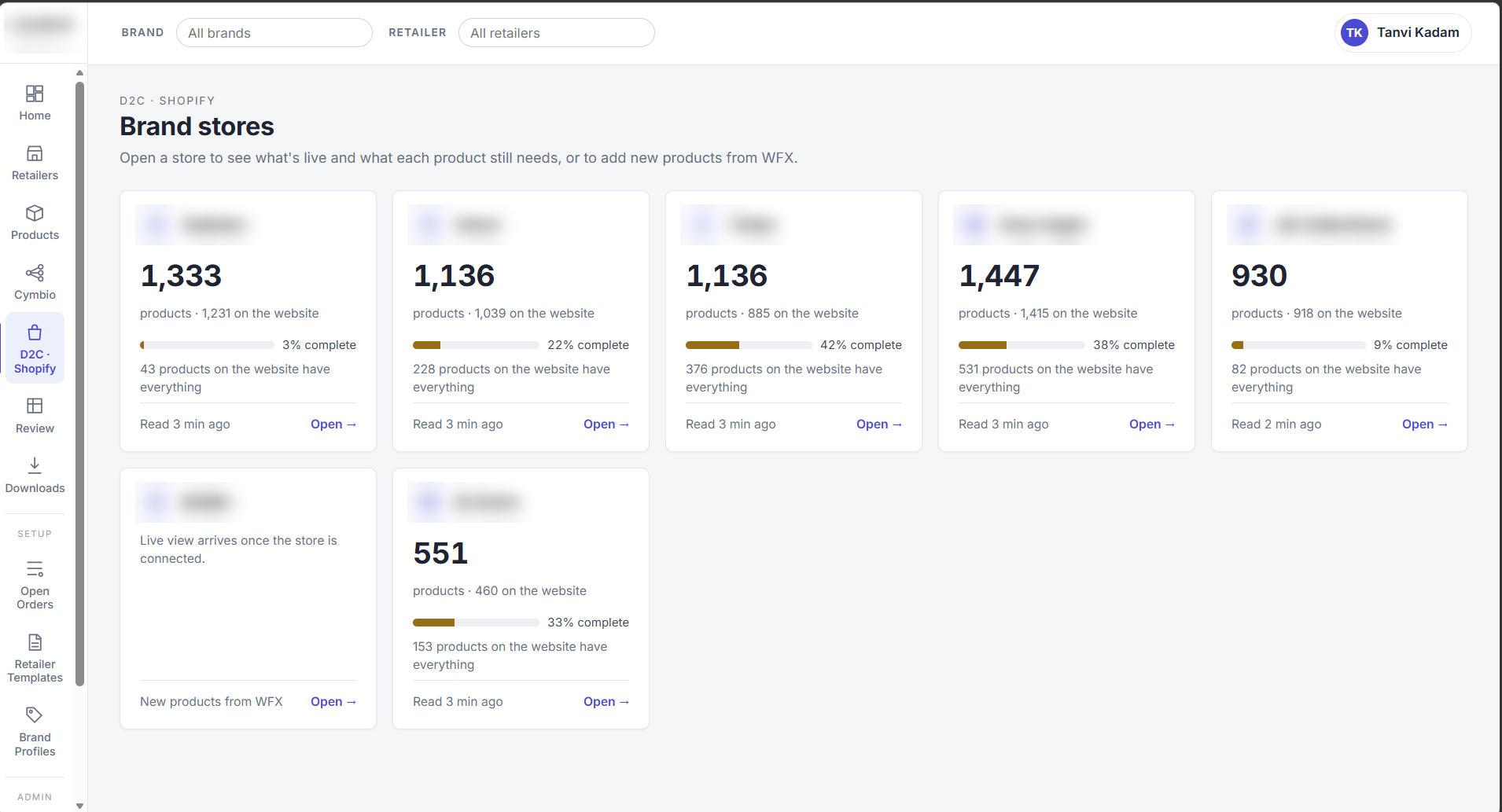
| Shopify | Live products, variants, sizes, barcodes and metafields from 11 stores | Shopify Admin API, read-only |
| Image storage | E-commerce and wholesale product photos | Indexed from OneDrive, SharePoint and Dropbox |
| Microsoft Entra ID | Who can sign in, and their role | Microsoft single sign-on |
How the platform manages product images
- One library: photos from several drives are matched to their style and colour automatically.
- Fast and light: the platform makes and stores previews, so a page of styles loads quickly.
- Private: photos are served only to signed-in staff.
- Gaps visible: each style shows its photo count, so missing shots are caught before a retailer sees them.
- Reused everywhere: the same photos feed retailer files and Shopify imports, with image order and alt text.
Security by design
| Area | How it is protected |
|---|---|
| Hosting | Runs in the client's own Microsoft Azure subscription. Product data stays in their environment. |
| Sign-in | Microsoft single sign-on, company accounts only, with multi-factor authentication from the client's policy |
| Access | Users must be assigned by the client's IT team. Roles (viewer, editor, approver, admin) and access by brand. |
| Secrets | API keys are kept in Azure Key Vault, never in code |
| Source systems | Read-only connections to PLM, ERP data and Shopify |
| AI | The AI sees product facts only, never orders, customers or pricing. Client data is not used to train the model. |
| Control | Every file is approved by a person. Changes are logged with who made them and when. |
| Monitoring | Azure Application Insights and Log Analytics |
Powered by Claude
The copy is written by Claude, Anthropic's AI model. We chose it for accurate, well-structured writing that follows detailed rules. The platform adds guardrails around it:
- Grounded in product facts. Claude drafts from the product data it receives. The platform validates the draft before it goes to a human reviewer.
- Retailer rules built in: each retailer's format, length limits and banned words are applied every time.
- Checked before review: output is validated before a person sees it, then approved by the team.
How we delivered the platform in 6–8 weeks
| Phase | What happens | Timing |
|---|---|---|
| 1. Discovery | Map the current process, retailers, systems and data owners | Week 1 |
| 2. Design and data mapping | Map each retailer's fields to source data; agree screens and roles | Week 2 |
| 3. Development and connectors | Build the connectors, readiness rules, AI copy and retailer templates | Weeks 3–5 |
| 4. Demo and feedback | Walk the team through real styles and refine | Week 5 |
| 5. Testing | Automated tests, data validation and security checks | Week 6 |
| 6. User acceptance testing | The client's team runs real seasons and signs off | Week 7 |
| 7. Go-live | Deploy to the client's Azure, switch on sign-in and roles | Week 8 |
| 8. Hypercare | Daily support, quick fixes and training while the team adopts it | 2–4 weeks after go-live |
The results
- 12 retailers served from one platform, with each retailer's own template.
- Same-day updates when a product changes, instead of redoing files by hand.
- Errors caught before submission, with each gap routed to the team that owns it.
- One view of every style, image and gap across brands.
- Less manual work for a team of about 10. The team now reviews and approves files that it previously built by hand.
What’s next for the platform
- Shopify as the single source: write approved data straight into Shopify metafields, so marketplaces and retail partners can pull it automatically.
- Automatic data fixes: correct titles, barcodes and product types before they reach a retailer.
- Sales intelligence: bring retailer sell-through and online sales into the same platform.
- Planning: a merchandise planning view tied to budget, built on the same data.
Frequently asked questions
What is an AI product content platform for fashion?
It connects a brand's product systems, checks the data against each retailer's rules, writes retailer-ready copy with AI and produces each retailer's file. People review and approve before anything is sent.
Which systems does it connect to?
It connects to WFX PLM, ERP data through a Power BI semantic model, Shopify, and image storage in OneDrive, SharePoint and Dropbox. New connectors can be added for other PLM or ERP systems.
How long does it take to implement?
A phased 6–8 week engagement: discovery, design, development, demo, testing, UAT and go-live, followed by 2–4 weeks of hypercare.
Is our data secure?
Yes. It runs in your own Azure environment with Microsoft sign-in, role-based access and read-only connections. Your data is not used to train AI models.
Does AI replace the team?
The platform handles repetitive drafting and validation. The team reviews the output and approves every file before export.
Selling to multiple retailers? Let's talk.
Bring one retailer template and a list of styles. In a 30-minute session, we'll show you what your retailer-ready content could look like.